


Phone App For Android
3.917.00 Reviews
App Specs
- Version
- 2.1
- Updated On
- License
- Free
- Downloads
- 10,000+
- Developer
- NeonfzLLC
- Categories
- Communication
- Platform
- Android
Screenshots
 Analysis by AppCompare
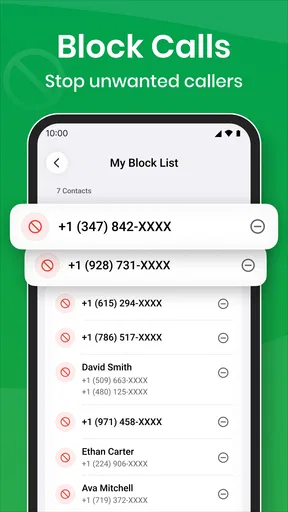
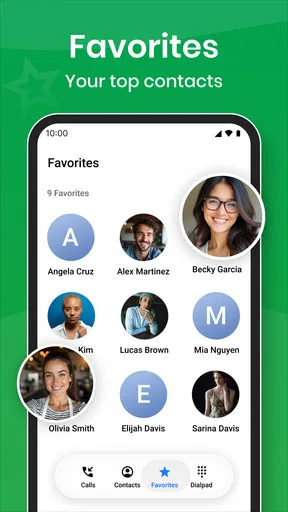
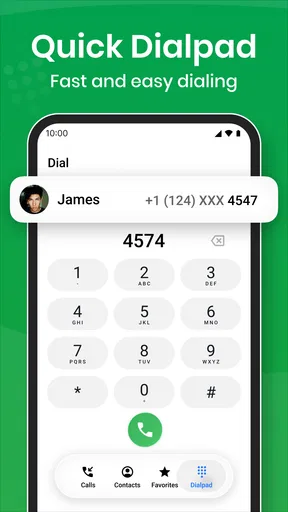
Phone App is a communication app from NeonfzLLC that aims to make everyday calling feel more organized. I approached it as a practical replacement for a basic phone interface, paying particular attention to the moments that usually decide whether a calling app earns a permanent place on a device: opening it quickly, identifying an incoming caller, handling the screen after a call, and staying usable when the phone is already busy. Its focus is narrow enough to understand immediately, but the after-call blocker screen gives it a more specific identity than a plain dialer.
The app is free and suitable for Everyone, which makes it easy to consider without committing money or changing your communication habits all at once. It runs on Android devices using version 7.0 or later, and the current release is version 2.1. That broad system support is useful for people keeping an older phone, although the experience can naturally vary between a newer handset and aging hardware. My overall impression is that this is best viewed as a focused phone utility rather than an attempt to replace every communication service on a device.
How Phone App fits into everyday calling
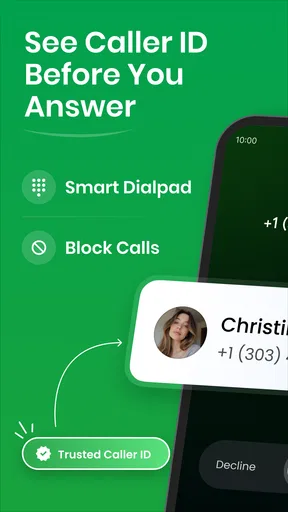
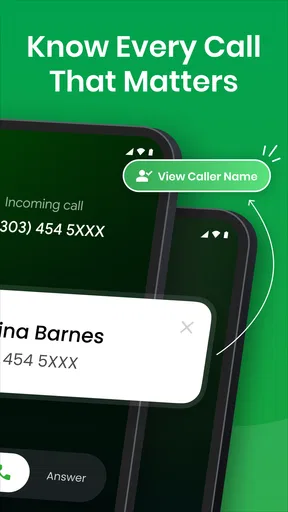
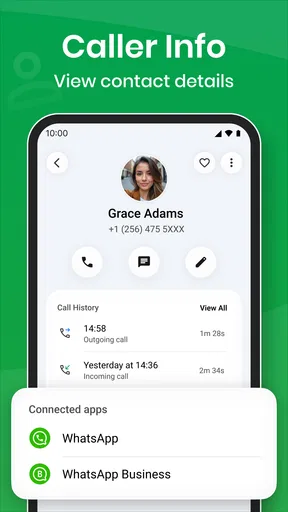
Most people do not need a complicated explanation before trying a phone app. They want to call someone, recognize an unfamiliar number, and avoid being pushed into another interaction immediately after hanging up. Phone App concentrates on those points. The caller ID element is useful before answering, while the after-call blocker screen addresses a different kind of interruption: the moment when a call ends and another screen, prompt, or unwanted contact can get in the way.
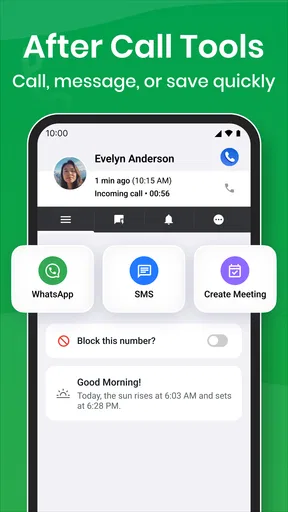
I found that combination more meaningful than a long list of loosely connected tools. A traditional dialer is usually excellent at placing calls but often stops caring once the call is over. Phone App treats the end of a call as part of the workflow. That is a small design decision, but it matters when you are moving quickly between conversations, checking a delivery, returning a missed call, or trying to get back to the task you were doing before the phone rang.
The app’s store short description is simply “Phone App,” so expectations should remain sensible. This is not presented as a full messaging hub, social platform, or business communications suite. I would install it for the calling experience itself, especially the caller identification and after-call blocking behavior, rather than expecting a broad collection of unrelated communication tools.
The most useful way to judge it is as a faster path from incoming call to next action. If that transition is where your current phone interface feels awkward, this app has a clear reason to exist. If your existing dialer already handles calls and post-call interruptions exactly as you like, the change may feel less important.
Speed expectations when opening and answering
Perceived speed in a phone app is not only about how quickly a screen appears. It is also about whether the interface gets out of the way while you are under pressure to answer, reject, or return a call. Phone App benefits from having a direct purpose: its main value is tied to calling, so there is less reason to wander through unrelated sections before reaching the action you need.
Worth Reading Before You Choose

Flipboard Shows What News Apps Must Do Beyond the Feed

Switching to Android Auto Means Rethinking Your Driving Routine

Google Calendar Makes a Crowded Week Easier to Manage

Ludo King Makes the Most of the Minutes Between Plans

Baby Panda World Brings Quick Play to Modern Phones, but Its Game Library Feels Busy

ESPN’s Live Game View Makes Following Close Games Easier
On a modern Android phone, I would expect the basic calling flow to feel straightforward. The more important test is whether the app remains predictable when launched from a notification, opened after a missed call, or brought back after another application has occupied the screen. These are ordinary situations, not special demonstrations, and they reveal more than a clean first launch.
One practical habit is to spend a few minutes setting up your preferred calling routine before relying on the app for important contacts. Try opening it from the home screen, responding to a missed call, and checking what appears after ending a short conversation. This gives you a feel for the transition points without risking a rushed call. It also helps you decide whether its caller ID presentation is clearer to you than the phone interface you already use.
I would not choose Phone App solely because I expect dramatic speed gains over every manufacturer dialer. Phone software is closely tied to the device, the Android version, and the phone’s own call-handling behavior. The stronger argument is consistency: a familiar route to calling, identification, and the post-call screen can feel faster because it reduces hesitation, even when the raw launch time is similar.
What changes during heavy calling
The app becomes more interesting during repeated use. A single call can make almost any dialer look adequate. A busy afternoon of calls is where small interruptions become tiring. Imagine a realistic workday scenario: I am waiting for a courier, answering a family call, returning a missed number, and then switching back to a document. In that sequence, caller identification helps me decide which calls deserve immediate attention, while the after-call blocker screen can reduce the chance of being pulled into an unwanted next step.
That workflow also exposes the trade-off. A blocker screen is useful when it prevents an interruption, but any additional screen in the call-ending process has to feel clear and easy to dismiss. If I am ending a call while walking between tasks, I do not want to study a complicated interface. The feature earns its place when it protects attention without making the final tap more confusing than the problem it solves.
For people who make many short calls, I recommend testing the app with different patterns rather than one long conversation. Place a call, end it, return to the app, and repeat the process later after using another application. This is a better check of everyday comfort than leaving a call connected for a long time. It also shows whether the app’s post-call behavior fits your habits when you are moving rapidly between contacts.
Resource demands are harder to judge from appearance alone, and I would avoid assuming that a simple calling interface is automatically light on every device. The app is focused, which is encouraging, but actual responsiveness can still depend on the handset, background activity, and the Android environment. My advice is to watch for practical signs: delayed screen changes, a call flow that feels interrupted, or the need to reopen the app after switching away. Those observations are more useful than treating the version number as a guarantee of performance.
Reliability at the moments that matter
Reliability matters more here than visual polish. A phone app has to behave sensibly when an incoming call arrives unexpectedly, when a call is missed, and when the conversation ends. Phone App’s feature set points toward those moments, but I would still introduce it gradually if calls are essential to your work or safety. Keep your familiar calling route available until you have confirmed that the new flow suits your device and contacts.
My preferred recovery test is simple. I would start a normal call, move briefly to another task when appropriate, return to the calling interface, and then check what happens after ending the conversation. I would also repeat the process after the phone has been idle. These checks are valuable because recovery is part of reliability: an app that works during a clean launch but becomes awkward after interruption can create more friction than it removes.
Caller ID should also be treated as assistance, not as a reason to answer every unfamiliar number. Identification can help with context, but it does not replace judgment. I still recommend letting suspicious calls go unanswered and using the app’s blocking-oriented behavior to protect your attention. The best workflow is selective: use the information to decide what deserves your time, rather than allowing every recognized caller to interrupt you automatically.
There is another recovery question that many reviews overlook: what happens when you change your mind? If a post-call screen appears, I want a clear way back to the task I was doing. Before adopting Phone App as my only phone interface, I would deliberately test dismissing that screen quickly, returning to a recent contact, and reopening the app after a short break. Those are small actions, but they reveal whether the design supports real movement through a day instead of only a single ideal call.
Older Android phones and device constraints
Phone App supports Android 7.0 and later, giving it a useful reach across older and newer devices. That does not mean every phone will feel identical. Older hardware may take longer to switch between screens, while manufacturer software can influence how calling interfaces appear and how aggressively background apps are managed. I would therefore separate compatibility from comfort: a phone may run the app while still delivering a less fluid experience than a current model.
If you use an older handset, start with the tasks you perform most. Open the app from a cold start, check a caller, place a short call, and observe the transition after hanging up. Then repeat after several other apps have been used. This kind of test tells you whether Phone App remains practical under the conditions that matter to you, without requiring technical tools or assumptions about memory usage.
People with limited storage or a crowded home screen may also wonder whether another phone utility is worth adding. Since Phone App is free, the financial risk is low, but the attention cost is real. A second calling interface can create confusion if you forget which app handles a particular action. I would keep one clear routine: decide whether Phone App is your main route for calls, then use it consistently for a few days instead of switching randomly between it and the manufacturer’s dialer.
For users who depend on accessibility adjustments, unusual display settings, or heavily customized Android software, the same principle applies. Test the caller ID and after-call screen with your normal text size, contrast, and navigation method. A feature is only helpful if it remains readable and dismissible in the configuration you actually use. This is one situation where the built-in phone app may be preferable if it integrates more naturally with your device’s controls.
Who will get the most from it
I see Phone App working best for people who want a cleaner calling routine without adopting a large communication platform. It suits someone who receives enough unfamiliar calls to value caller ID, but who also wants a deliberate barrier after conversations end. It can be especially appealing if your current phone interface feels too bare or if the post-call moment regularly leads you into distractions.
It is also a reasonable option for someone keeping an older Android device, because the minimum operating system reaches back to Android 7.0. The app’s Everyone age rating and free availability make experimentation uncomplicated. Still, I would not confuse easy installation with universal suitability. Your phone’s built-in dialer may remain the better choice if it already provides the exact caller information and call controls you trust.
I would skip it if you are looking for encrypted messaging, video meetings, contact collaboration, or a complete replacement for several communication services. Nothing about its focused identity suggests that it should be judged as a chat platform. Likewise, people who rarely answer unknown numbers may gain little from caller ID, while users who dislike any extra post-call interaction may find the blocker screen more noticeable than helpful.
Compared with the usual manufacturer dialer, Phone App offers a more deliberate emphasis on caller context and what happens immediately after a call. Compared with broad communication suites, it is more focused and likely easier to understand, but it does not aim to cover messaging or meetings. That distinction is important: the right alternative depends on whether your problem is phone-call handling or communication in general.
My practical setup and usage advice
I would begin by using the app during low-pressure calls rather than making it responsible for an urgent conversation on the first day. Test a known contact, an unfamiliar incoming number, and a missed-call return. Pay attention to whether the caller ID information helps you make a decision quickly and whether the after-call screen leaves you in control of what happens next.
A useful everyday workflow is to treat the app as a filter for attention. When a call arrives, use the identification context to decide whether to answer immediately. When the call ends, use the blocker screen as a pause before returning to your previous task. This is more effective than expecting the app to solve every unwanted call automatically. The benefit comes from making the decision process calmer and more consistent.
I would also avoid judging the app during a single quiet session. Try it while the phone is busy, after switching between applications, and after leaving it unused for a while. Those conditions reveal whether the interface recovers gracefully. If the app feels dependable in those ordinary transitions, it has a stronger case than a first impression based only on its opening screen.
NeonfzLLC has positioned this release as a focused communication utility, and the current version is 2.1. The app has an average rating of 4.0 from over a hundred ratings, with more than a dozen written reviews, and it has passed ten thousand installs. Those figures suggest an established level of interest without making the app look like a universal standard. I read that as a reason to try it thoughtfully, not as a substitute for checking how it behaves on your own phone.
Performance verdict for daily use
After looking at the complete calling workflow, I think Phone App is most convincing when the end of a call is as important to you as the beginning. Its caller ID and after-call blocker screen give it a practical angle that a basic dialer may not emphasize. The app should appeal to people who want fewer distractions around phone calls and who are willing to spend a little time making its routine familiar.
My reservation is not about its purpose but about expectations. I would not promise identical speed or stability on every Android device, and I would not replace a trusted phone setup immediately if missed or delayed calls would cause serious problems. Older hardware, manufacturer customizations, and personal accessibility settings can all affect comfort. Testing the full cycle—open, identify, call, end, recover—is the sensible way to decide.
My recommendation is positive for focused callers, cautious for people satisfied with their built-in dialer, and negative for anyone seeking a complete messaging platform. Phone App is free, approachable, and specific about the problem it wants to improve. If caller context and post-call interruptions are genuine annoyances in your day, I think it deserves a trial. If your priority is the broadest communication feature set or the deepest integration with a particular phone brand, the standard dialer or a larger communication service may be the better fit.
In the end, I would keep it installed only if it makes the small transitions around calling feel more controlled. That is a modest goal, but it is also a useful one. When the app helps me recognize a call, finish it, and return to what I was doing without unnecessary friction, it earns its place as a practical Android phone utility rather than just another duplicate icon.
Pros
- Simple interface makes essential phone tools easy to access.
- Quickly opens the dialer
- contacts
- and recent calls.
- Supports contact search directly from the calling screen.
- Clear call controls help reduce accidental taps.
- Useful replacement for devices with a basic default dialer.
Cons
- Some features may vary depending on the Android phone model.
- Call recording availability can be limited by region or system rules.
- May request access to contacts
- calls
- and microphone features.
- Ads or premium prompts may interrupt parts of the experience.
- Advanced calling options may be missing compared with stock dialers.
FAQs for Phone App For Android
What is Phone App for Android and what can it do?
Phone App for Android is a calling and contact-management application designed to help users handle everyday communication from one place. Depending on the version and device, it may provide access to the dial pad, recent calls, saved contacts, caller identification, call blocking, voicemail shortcuts, and other phone-related tools. Available features can vary by manufacturer, Android version, region, and the permissions granted during setup.
Is Phone App for Android free to download and use?
The application may be available to download without an upfront charge, but users should check the listing carefully because pricing and included features can differ between versions. Some editions may contain advertising, optional paid tools, or services that depend on a mobile carrier. Standard voice calls are normally billed according to your carrier plan, so installing the app does not automatically make calls free.
What permissions does Phone App for Android require?
Because it is intended for phone communication, the app may request access to contacts, phone calls, call history, notifications, and sometimes the microphone. These permissions allow it to display caller information, place or manage calls, and show relevant alerts. Before accepting, review each request and enable only what you consider necessary. Refusing certain permissions may prevent important features from working correctly.
Can Phone App for Android block spam or unwanted calls?
Many phone applications include tools for identifying suspicious numbers, blocking individual contacts, or automatically filtering calls reported as spam. However, the accuracy of these features depends on the app’s database, your location, network support, and the Android device being used. No blocking system is perfect, so users should still be cautious with unfamiliar callers and avoid sharing sensitive personal or financial information.
Will Phone App for Android work on every Android device?
Compatibility is not guaranteed across all Android phones. The app may require a particular Android version, supported hardware, or permission to become the device’s default phone application. Some manufacturers also replace the standard dialer with their own software, which can limit integration or duplicate features. Check the Google Play listing, required Android version, and user reviews for your specific device before downloading.


